
Use Case N°3 — Eloi
Restructuring the site for better navigation
A Design Thinking approach to helping two very different users find their way, fast
Eloi helps farmers navigate land transmission and installation projects in agriculture.
Before this, "Clients" was a basic paginated list, name and contact info only, with no deeper record behind it: no way to see a client's course history or manage their credit packs from there, and no link to the calendar, so artists could see who was booked into a slot but not open their profile. Communication ran entirely outside Daisy too, through third-party tools like Mailchimp, Klaviyo, or just by email.

Tools
Figma, Miro, Google Analytics, Notion, Google Meet

Role
UX/UI Designer

Duration
1 month
See the Figma file

The Challenge
76% of traffic, on a site that ignored it
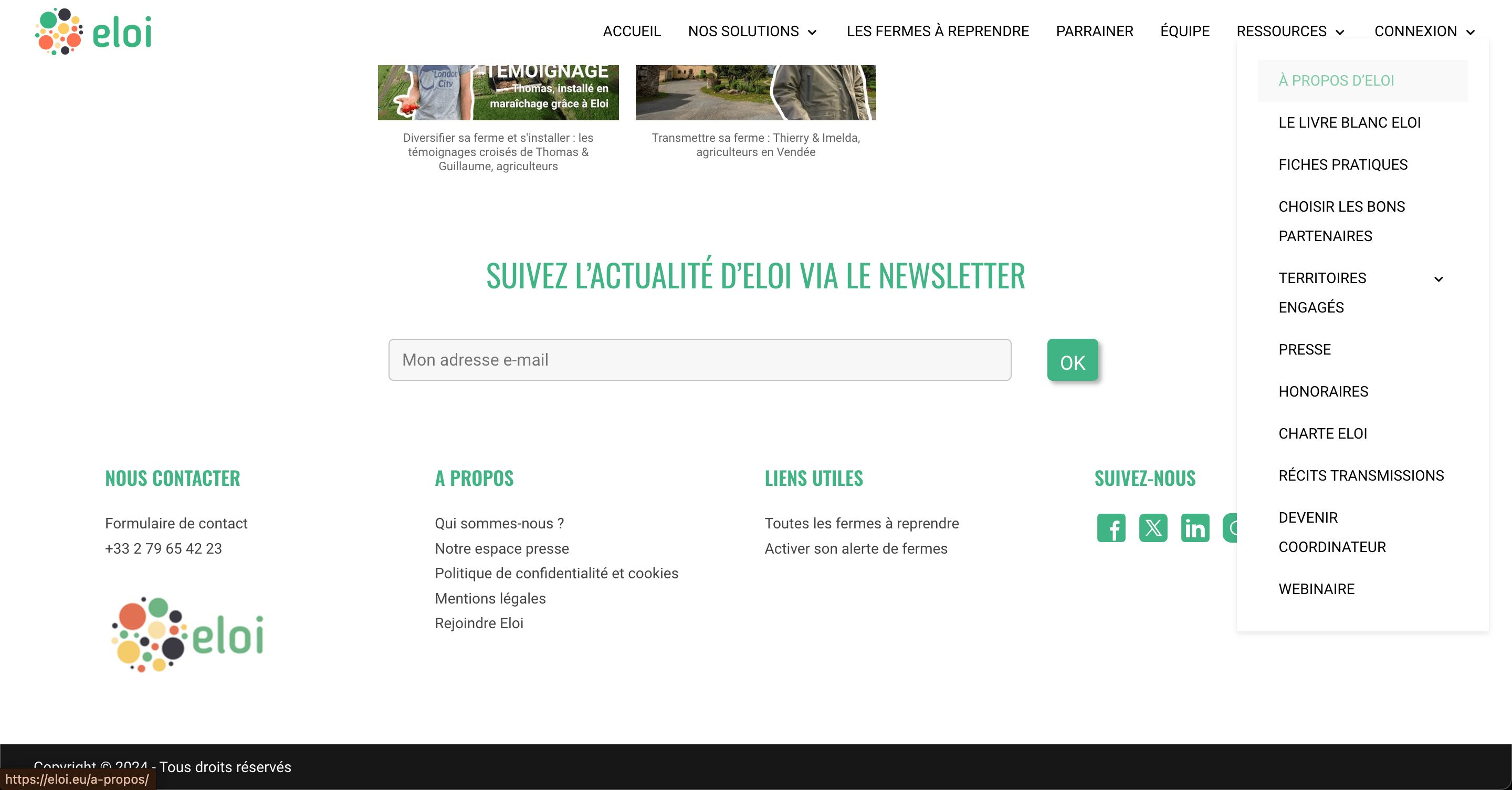
Eloi's site had grown into a patchwork, pages and modules added one at a time with little thought for the different paths a visitor might take. Mobile navigation was a particular blind spot, despite mobile making up 76% of all traffic. Amélie Picard (Head of Technical) and Anouk Coornaert (Head of Marketing & Communication) brought me in to reorganize the site so its two core audiences, people looking to start a farm, and farmers preparing to pass theirs on, could each find their way clearly, without adding friction to journeys that were already administratively exhausting on their own.
What i did
Research first, structure second
01
Ran market research, evaluated Eloi's existing site, and pulled together existing testimonials from people looking to start a farm and farmers passing theirs on, to ground two early personas
02
Facilitated an internal workshop with Eloi's team to pressure-test those persona hypotheses, align 2 to 3 core user journeys with business needs, and push the thinking further
03
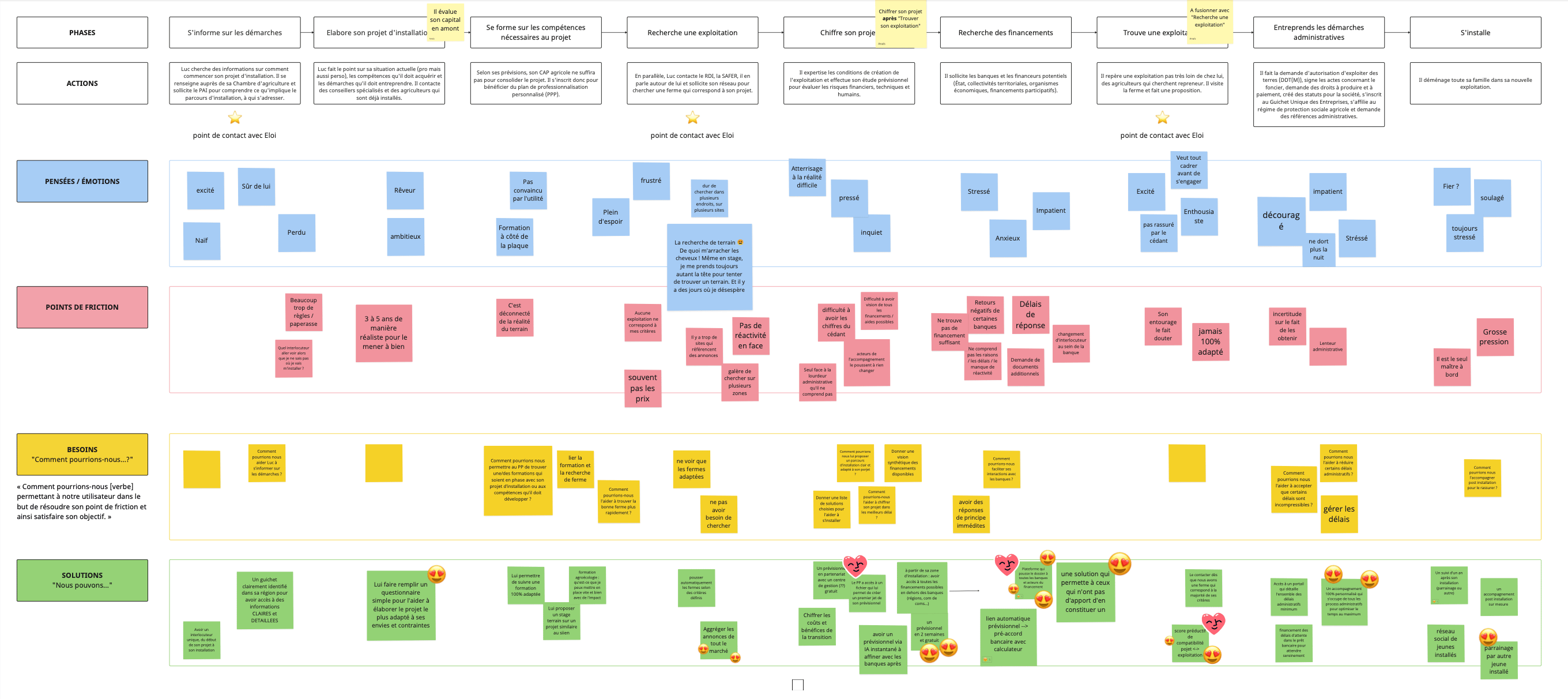
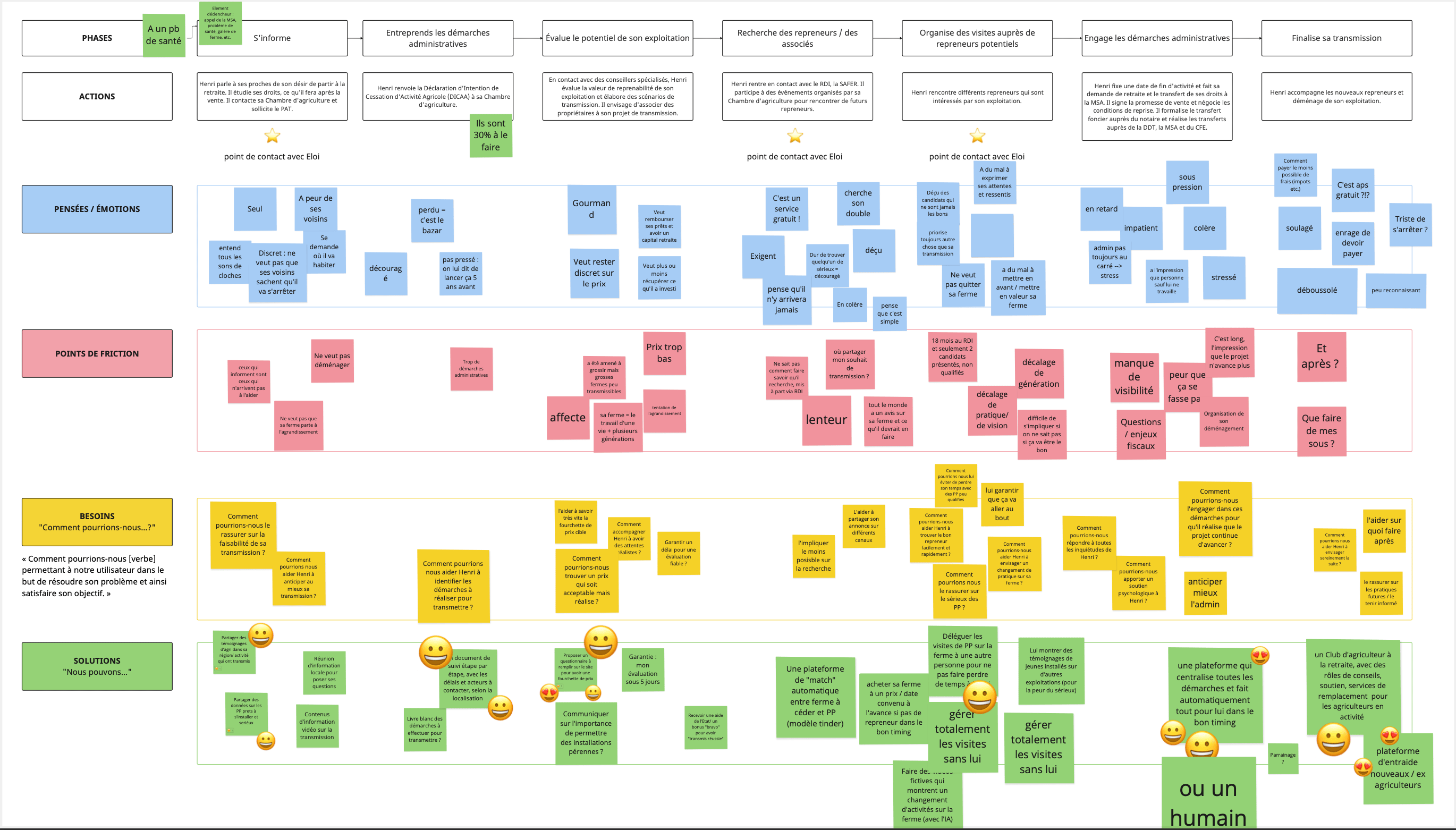
Mapped both user journeys in detail, surfacing exactly where the existing patchwork site broke down for each audience
04
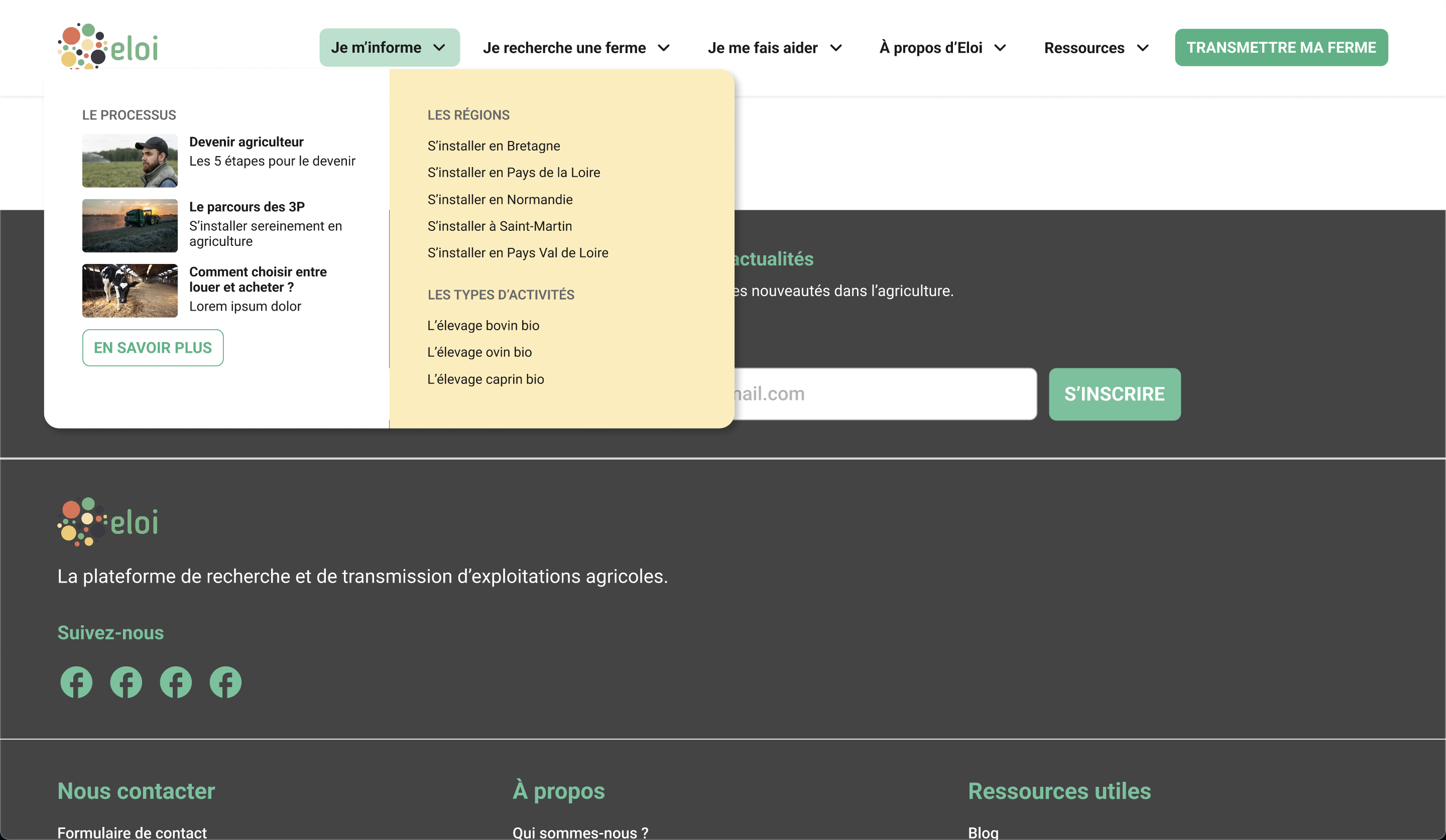
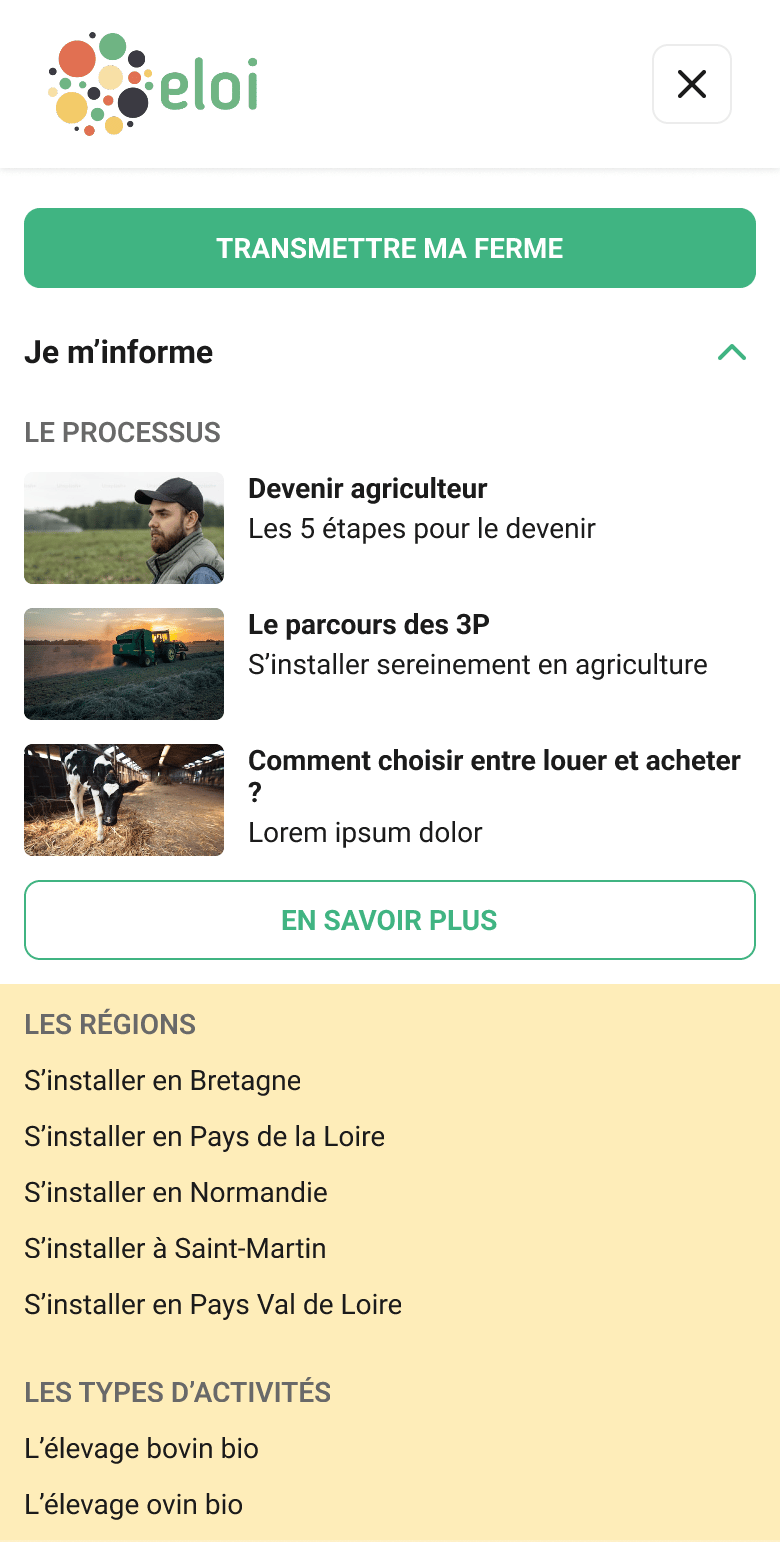
Delivered two site architecture proposals based on the workshop's findings, then designed a working desktop and mobile navigation prototype for the validated direction

05
Issued UI recommendations for the homepage and the farm search results pages, the two highest-stakes entry points for each audience
The Impact
A simpler site, still waiting to be tested.
Eloi walked away with a validated site architecture, a working desktop and mobile navigation prototype, and clear UI direction for its two highest-traffic entry points, delivered within the original 4-week timeline. What's still outstanding, and what I flagged directly to the team, is putting it in front of real users: navigation testing, plus tracking bounce rate and contact form completion in the months after launch.
Use Case N°3 — Eloi
Restructuring the site for better navigation
A Design Thinking approach to helping two very different users find their way, fast
Eloi helps farmers navigate land transmission and installation projects in agriculture.
Before this, "Clients" was a basic paginated list, name and contact info only, with no deeper record behind it: no way to see a client's course history or manage their credit packs from there, and no link to the calendar, so artists could see who was booked into a slot but not open their profile. Communication ran entirely outside Daisy too, through third-party tools like Mailchimp, Klaviyo, or just by email.

Tools
Figma, Miro, Google Analytics, Notion, Google Meet

Role
UX/UI Designer

Duration
1 month
See the Figma file

The Challenge
76% of traffic, on a site that ignored it
Eloi's site had grown into a patchwork, pages and modules added one at a time with little thought for the different paths a visitor might take. Mobile navigation was a particular blind spot, despite mobile making up 76% of all traffic. Amélie Picard (Head of Technical) and Anouk Coornaert (Head of Marketing & Communication) brought me in to reorganize the site so its two core audiences, people looking to start a farm, and farmers preparing to pass theirs on, could each find their way clearly, without adding friction to journeys that were already administratively exhausting on their own.
What i did
Research first, structure second
01
Ran market research, evaluated Eloi's existing site, and pulled together existing testimonials from people looking to start a farm and farmers passing theirs on, to ground two early personas
02
Facilitated an internal workshop with Eloi's team to pressure-test those persona hypotheses, align 2 to 3 core user journeys with business needs, and push the thinking further
03
Mapped both user journeys in detail, surfacing exactly where the existing patchwork site broke down for each audience
04
Delivered two site architecture proposals based on the workshop's findings, then designed a working desktop and mobile navigation prototype for the validated direction
05
Issued UI recommendations for the homepage and the farm search results pages, the two highest-stakes entry points for each audience
The Impact
A simpler site, still waiting to be tested.
Eloi walked away with a validated site architecture, a working desktop and mobile navigation prototype, and clear UI direction for its two highest-traffic entry points, delivered within the original 4-week timeline. What's still outstanding, and what I flagged directly to the team, is putting it in front of real users: navigation testing, plus tracking bounce rate and contact form completion in the months after launch.